
Where the Scoreboard Meets the Market
A UX case study on designing a livescore + sports-prediction-market app
Role
Product Designer
Scope
UX strategy, information architecture, interaction design, visual design, prototyping
Platform
Mobile App
Focus
Live sports, prediction markets, trading flows
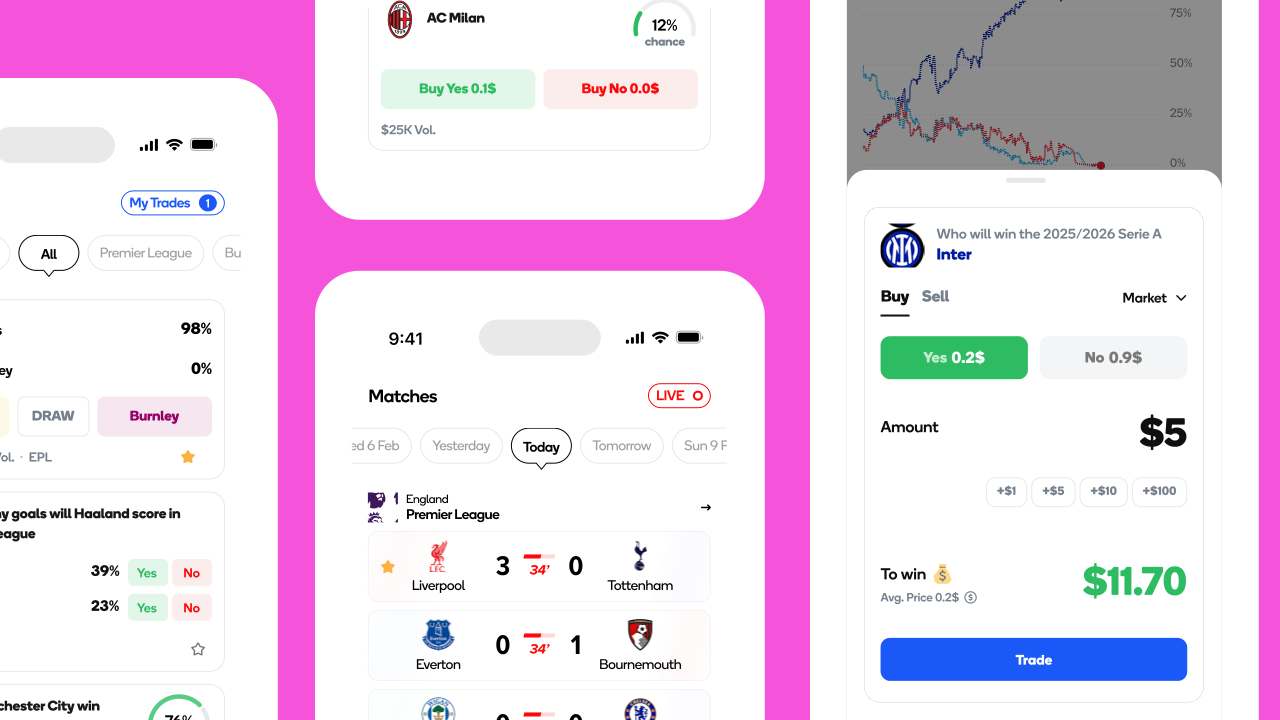
I was the sole product designer for a sports app that combines live match data with prediction markets. The goal was simple: let fans understand what is happening in a match and act on that insight without leaving the experience.
The main opportunity was the gap between sports apps and prediction markets. Sports apps provide rich match context but no way to act on it. Prediction markets provide trading tools but little sports context. The product brought both into one focused experience.
What I did
- Researched prediction markets and live sports products to understand user behavior and market gaps.
- Defined three key user types based on how people discover, follow, and trade on sports events.
- Mapped the main journeys from discovering a match to following it, making a decision, trading, and tracking the outcome.
- Defined the information architecture and navigation around two core needs: following sports and exploring markets.
- Created a reusable design system covering odds cards, probability indicators, order tickets, and live match states across 40+ screens.
- Designed clear trading flows with responsible-use considerations from the start.
The Brief
Client: An early-stage sports tech startup building a consumer app that combines live sports data with prediction markets.
The ask: Create a sports-first prediction experience that feels familiar to sports fans while making trading simple and clear.
Mobile First
Designed for iOS and Android from the start.
Clear Trading
Pricing, risk, and actions had to be immediately clear.
Focused Release
First release focused on major European football leagues.
Scalable Design
Small engineering team meant the design needed to scale beyond individual screens.
The Problem
| Livescore apps | Prediction markets | |
|---|---|---|
| Core loop | Check score, stats, and events | Browse markets, check price, trade |
| Strength | Rich live sports context | Clear pricing and trading |
| Gap | No way to act on the insight | Limited sports context |
| Session trigger | A match is live | A market looks interesting |
The trading decision often comes from what is happening in the match. The experience should keep that context close instead of making users switch between a sports app and a trading interface.
Research
3.1Market research
- Prediction markets reached $23.9B in monthly volume in March 2026.
- Sports traders were more active than traders in several other market categories.
- Typical prediction market trades are relatively small, supporting a high frequency use case.
- Livescore apps represent a large and growing sports product category.
3.2Competitive teardown
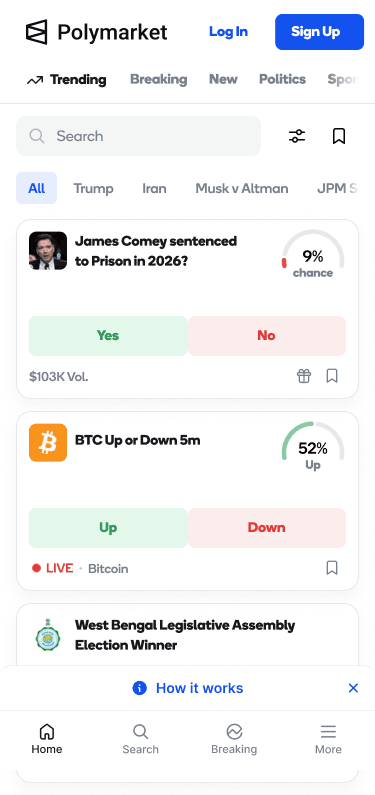
Polymarket
Strong trading experience
Limited sports context
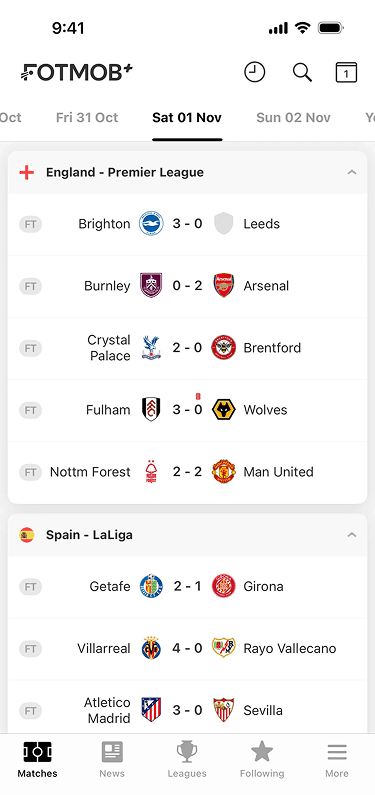
Livescore
Strong live match context
No path from insight to action
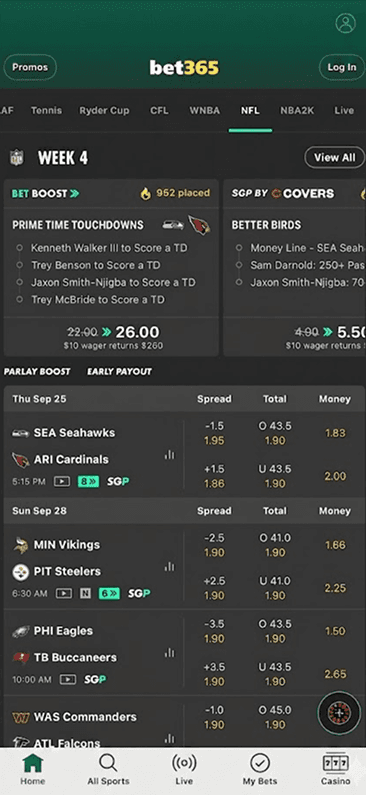
Sportsbook
Fast betting flows
Built around fixed odds
Personas
Persona 1: Kofi, the Match Day Trader
Primary persona
Context
27, follows Serie A and Premier League closely
Behavior
Short, active sessions with small trades
Goal
Use his football knowledge to make informed trades
Trigger
A match event the market has not fully priced
Frustration
"If I have to leave the match screen to trade, I may miss the opportunity."
Design implication
Trading should be accessible directly from the live match experience.
Persona 2: Amara, the Informed Forecaster
Secondary persona
Context
34, follows sports casually and prefers longer term markets
Behavior
Fewer trades with larger positions
Goal
Understand market movement over time
Frustration
A price change does not explain what caused it
Design implication
Market details need clear trends alongside relevant team and match context.
Persona 3: David, the Pure Fan
Guardrail persona
Context
41, mainly uses the app for scores and match information
Goal
Quickly check scores, lineups, and stats
Frustration
Betting focused apps can feel intrusive
Design implication
The sports experience remains useful on its own, with trading kept secondary and contextual.
User Journey Map
| Stage | Discover | Follow | React | Trade | Track |
|---|---|---|---|---|---|
| Doing | Browses fixtures | Opens a live match | Sees a key event | Checks the market | Tracks the position |
| Thinking | "What's on today?" | "Is this going as expected?" | "Has the market reacted?" | "Is this price worth taking?" | "Is my position still strong?" |
| Feeling | Curious | Engaged | Alert | Focused | Invested |
Information Architecture
Browse matches by date with a quick way to surface live games.
Score, lineups, statistics, standings, and commentary.
Browse markets by league, type, or live status.
Probability, trends, volume, and outcome pricing.
User Flows
I mapped the main paths before moving into detailed screens. The goal was to keep each flow short, predictable, and easy to follow.
React and trade
The shortest path from a live event to taking a position.
Research before trading
A slower path for users who want context before committing.
Check the match first
Match information stays separate from trading until the user needs to make a decision.
The flows intentionally stay simple. Users can react quickly when they already know what they want, or take a more deliberate route when they need more information first.
Wireframe User Flows
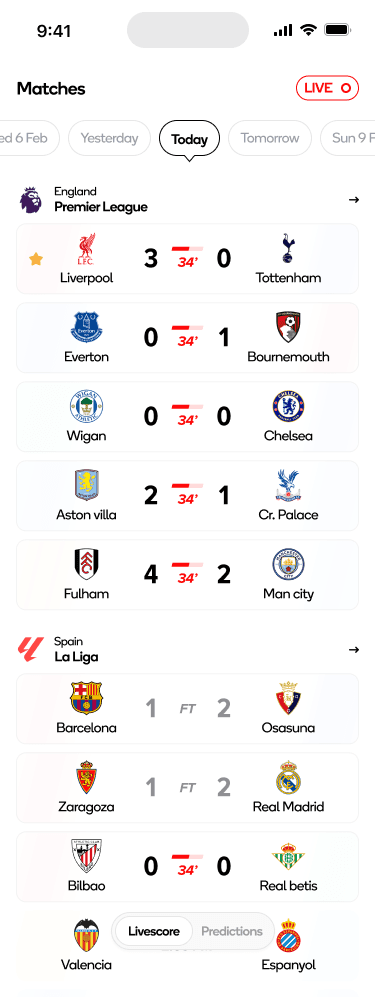
Livescore and Match Exploration
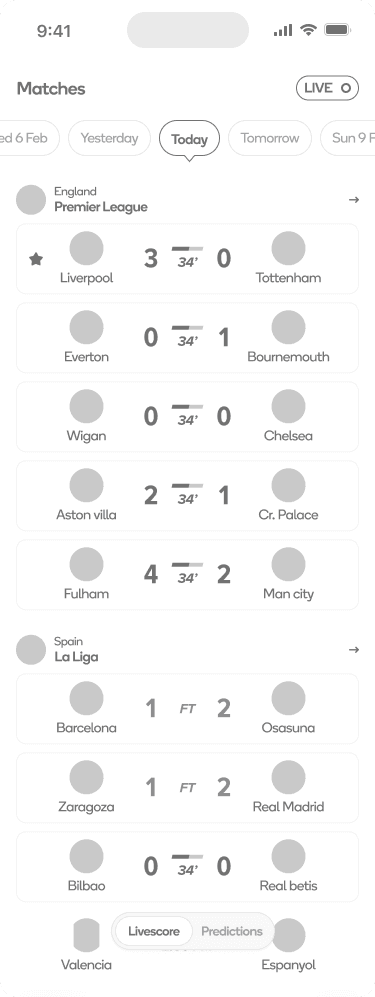
Livescore Home
Browse matches by date or live status, then open a match for more detail.
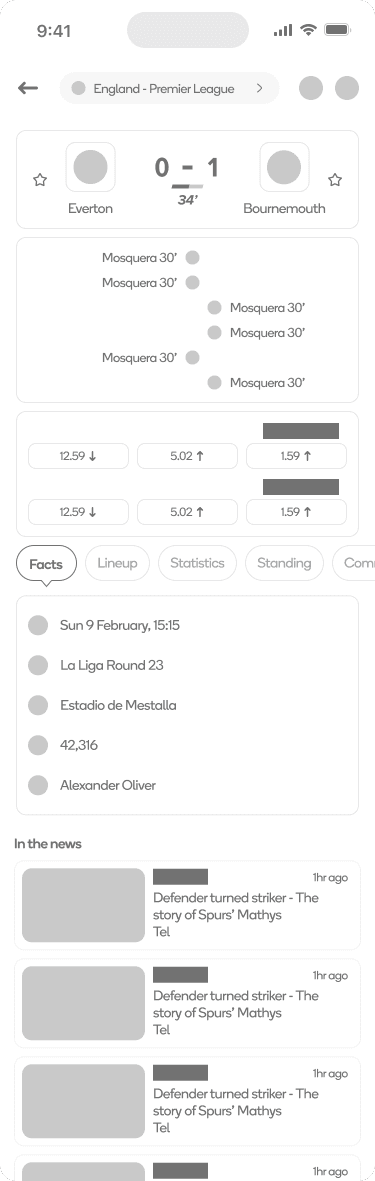
Match Detail
See live match information, stats, lineups, and commentary. Predictions can be accessed from here when relevant.
Prediction Market and Trading
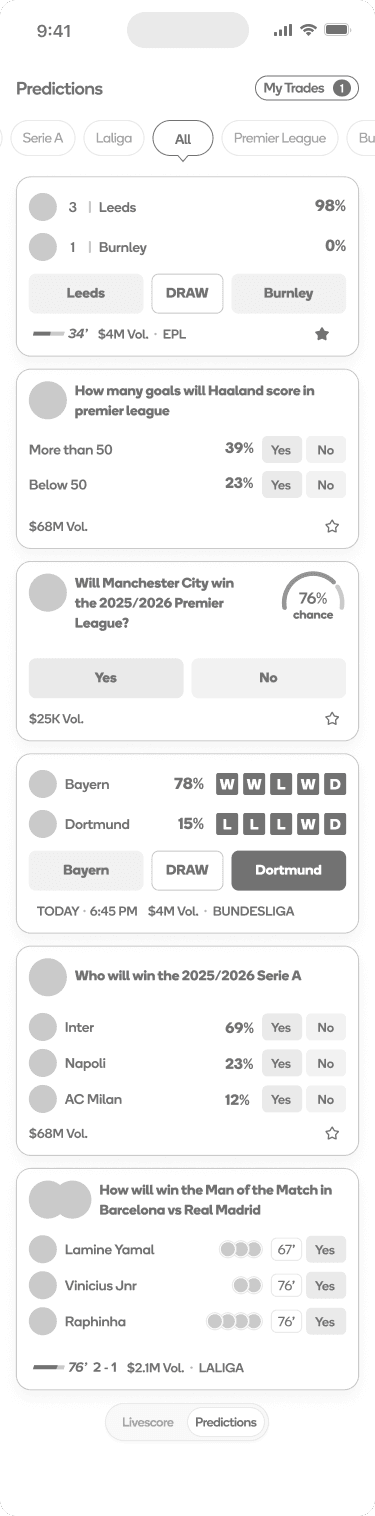
Predictions Home
Find markets by league, type, or live status.
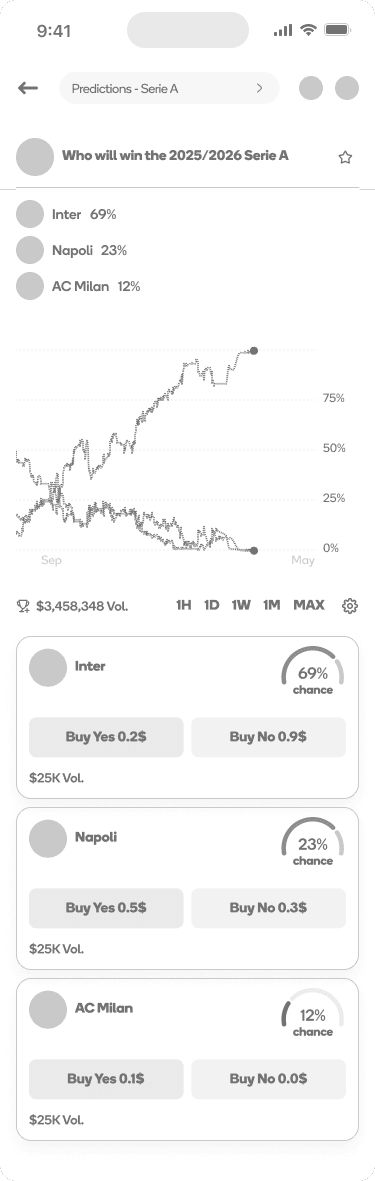
Market Detail
Review probabilities, trends, volume, and available outcomes.
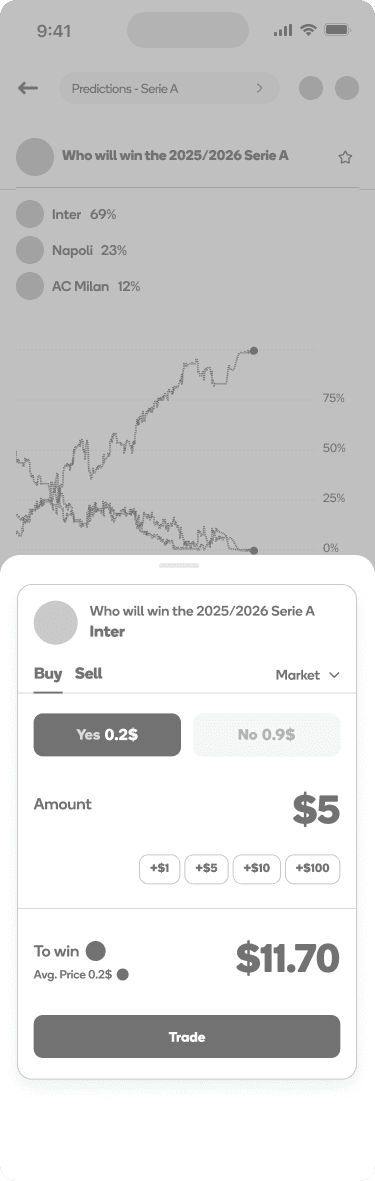
Buy Yes
The ticket opens with Yes selected. Set an amount, review the payout, and confirm.
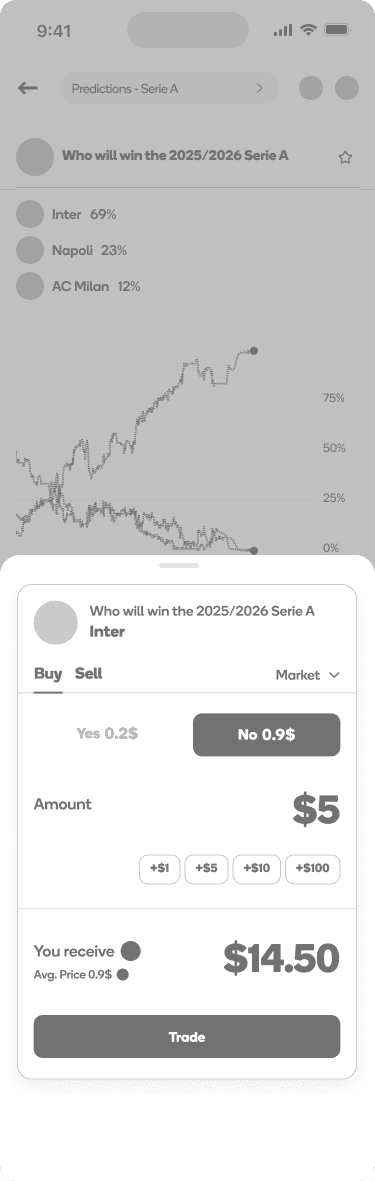
Buy No
The same ticket supports the opposite position without changing the overall flow.
Key Screens
Order Ticket
- Context stays visible. The team and market remain pinned at the top.
- Trading controls stay together. Buy, Sell, Market, and Limit are easy to switch.
- Yes and No are shown side by side. This makes the decision easy to understand at a glance.
- Quick amount controls. Users can enter an amount or use preset values.
- Payout is shown before trading. The user can see what the trade means before confirming it.
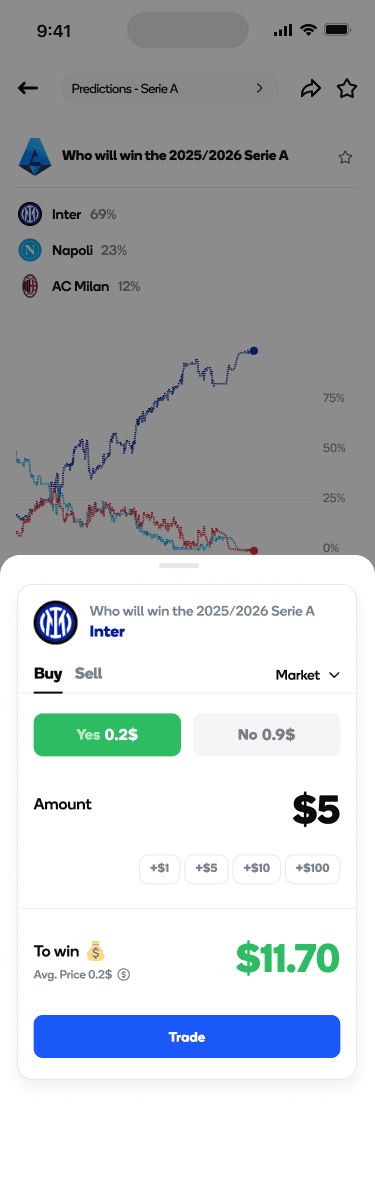
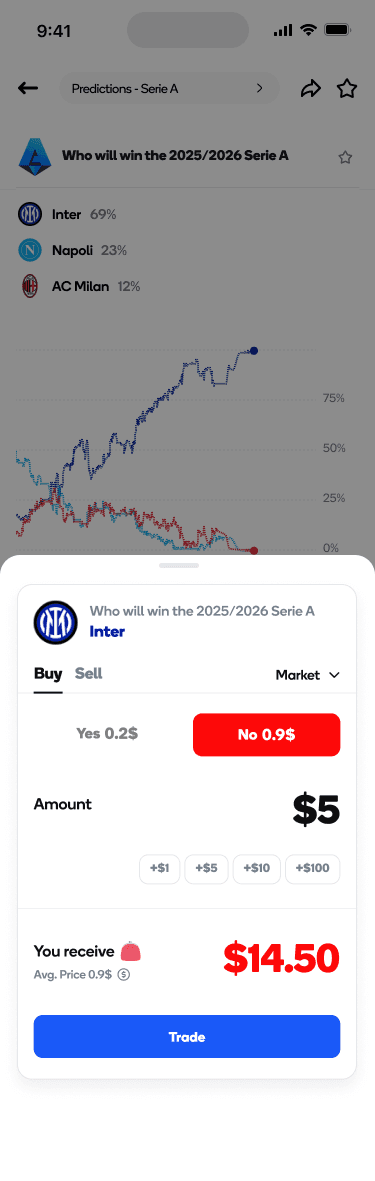
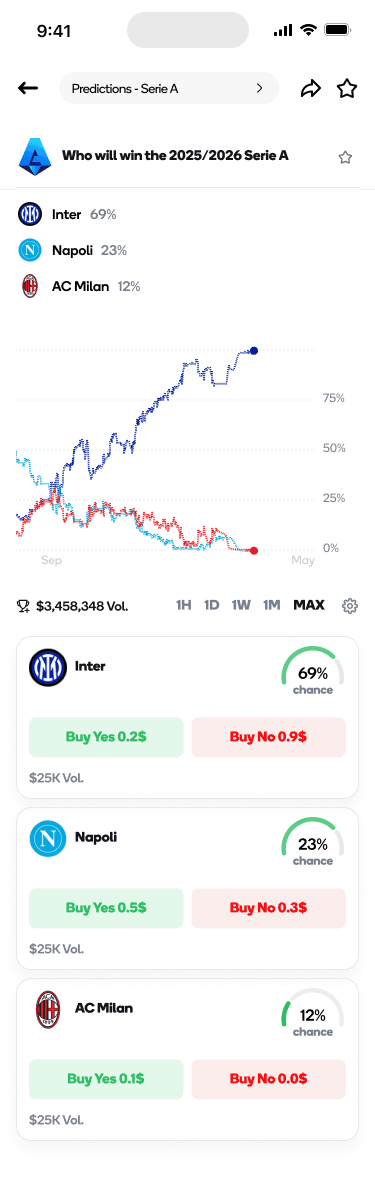
Market Detail
- Outcomes are ranked first. Users get a quick view before digging into the details.
- The trend is easy to scan. A simple chart and time range help users understand movement.
- Volume stays visible. It gives users another useful signal when evaluating a market.
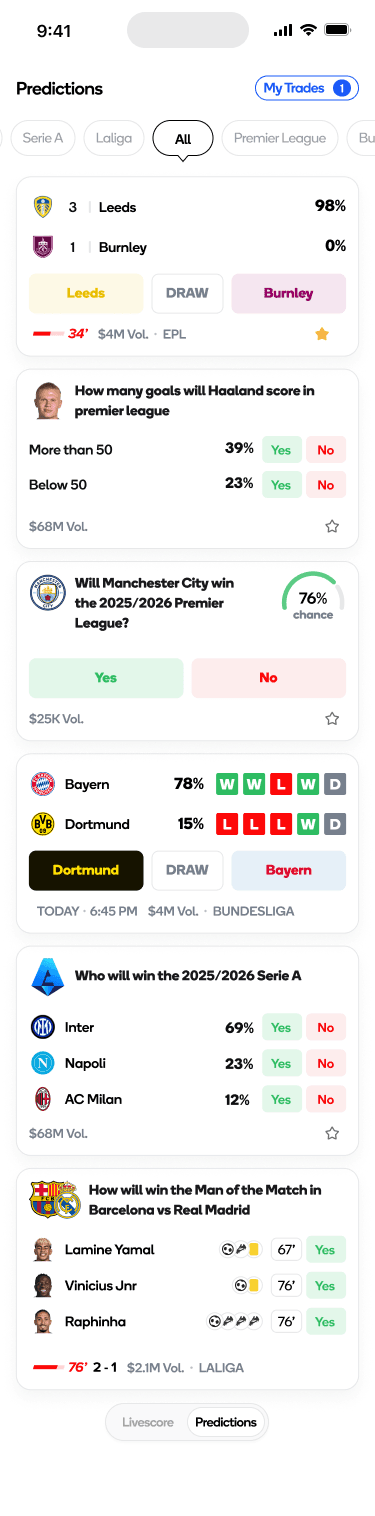
Predictions Home
- Live match cards keep the score and match state visible while showing the available outcomes.
- Player props use clear thresholds with separate Yes and No prices.
- Team form is shown directly on the card so users do not need to open another screen.
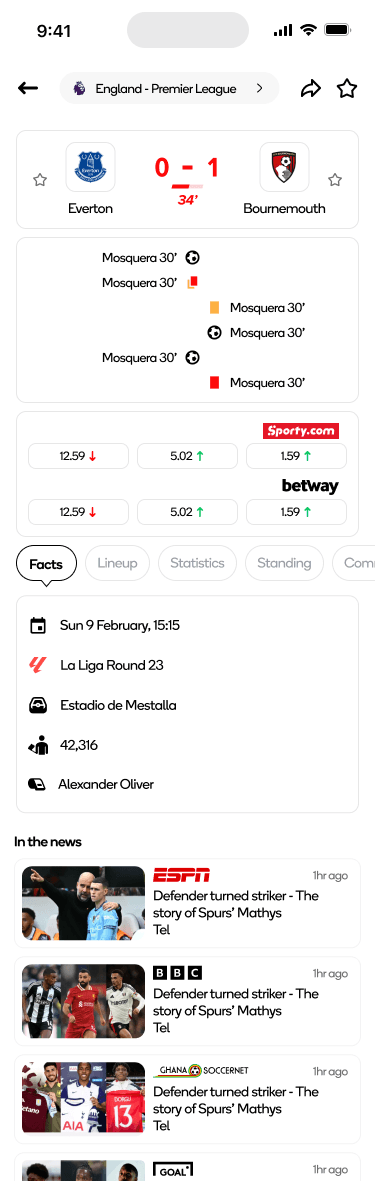
Match Detail
- Facts come first. The match opens with the information fans are most likely looking for.
- Predictions stay secondary. They are available without taking over the match experience.
- Familiar match tabs make it easy to move between the score, lineup, stats, standings, and commentary.
Design System Highlights
- Probability ring keeps probability easy to scan across different markets.
- Yes and No price pair gives outcomes a consistent interaction pattern.
- Live indicator provides a consistent way to show when a match is active.
- Form strip gives recent team performance a compact, reusable format.
Responsible Design
- No countdowns or pressure tactics inside the order ticket.
- Facts first so users can check a score without entering a trading flow.
- My Trades stays accessible so users can always see their open positions.
- Market volume stays visible to give users more context before making a decision.
Validation
Navigation
I compared a single blended experience with separate Livescore and Predictions modes. The two-mode approach made the product easier to understand and gave each experience a clearer purpose.
Iteration: Kept Livescore focused on match context and Predictions focused on markets and trading.
Trading flow
I compared a bottom sheet with a full-screen order ticket. Keeping the ticket close to the market made the flow feel more connected to the decision.
Iteration: Kept the order ticket as a bottom sheet so users could retain the market context while trading.
Outcomes & What I'd Track Next
Because this was a new product, there was no post-launch data to measure. I would use the following metrics to evaluate the experience once real users start using it.
- Time from live event to trade to understand how quickly users can act on match events.
- Match Detail to Predictions usage to see how well the two experiences work together.
- Order Ticket completion to identify friction before a trade is completed.
- Score and match information success rate to make sure the Livescore experience remains easy to navigate.
Reflections
What I'd do differently
I would spend more time testing the experience around real match moments. Seeing how users react immediately after a major event could reveal friction that is easy to miss in a normal usability session.
What I'm proud of
I kept Livescore and Predictions separate because they serve different needs, while still making it easy to move between them.
A trade should make sense in the context of the match that led to it. That idea shaped the navigation, match detail, market views, and order flow.
Thanks for reading. This case study covers the main decisions behind the product and the thinking that shaped the final experience.
Thanks for reading.